Many aspects of VR headset ownership are often overlooked by excited newcomers who toss the user manual over their shoulder, eager to jump into their first VR session. That’s not to say a VR headset is as big a responsibility as owning a dog, cat, parrot, or fish, but there are best practices that can help keep it alive and well for many years to come. It might not need feeding, walking, or a trip to the vet when it starts acting strangely, but it does need more careful handling than just being thrown on a desk after every session.
In this entry, we will go through some best practices for sim racers buying their first VR headset, as well as those who already own one and want to make sure they are handling it correctly.
Solving the Fog: Why Your Lenses Blur on Lap 5
Frequently, over the span of a driving session, you might find that the lenses in your VR headset become increasingly blurry the more laps you put in. This happens because moisture from your warm face condenses on the cooler headset lenses. This is especially evident in the colder months of the year, when your sim racing room, and therefore your VR headset, might not be warmed up yet. Of course, this is not ideal in the moment, and in the worst case, trapped moisture inside the face-headset enclosure could eventually cause issues with the headset’s internals.
The simplest solution for this issue is to leave the headset running for 10 minutes, which allows the internals, and in turn, the lenses, to warm up, resulting in a lower temperature difference between the headset and your face. For some VR headsets, like the Quest 3, the built-in proximity sensor in the interface will cause the displays to switch off when the device detects that the headset isn’t currently being worn. To get around this, you can disable it either by blocking it with opaque tape or, more cleanly, through the app SideQuest.
As will become gradually evident throughout this entry, VR headsets are somewhat vampire-like in their weaknesses. As such, in addition to strongly advising against lowering your headset into running water, such as a river, we also recommend avoiding liquid-based remedies for lens fogging. Depending on the product and headset in question, such solutions can damage the lens coatings, potentially causing permanent visual defects far more troublesome than a bit of temporary fogging.
With sim racing being one of the more physically demanding gaming experiences, especially in the warmer months, it will be hard to avoid sweating (which might cause lens fogging). To combat this, make sure your room is well-ventilated with a fan, such as a cheap, energy-efficient tower model. Based on the window placement of your sim racing room, make sure to experiment with airflow optimisation.

Images by BOBOVR / Globular Cluster
As for the internal headset airflow, you can also make efforts to ensure that air keeps moving inside the facial interface. A wide range of third-party brands offer alternative facial interfaces for many VR headsets, some of which include ventilation holes. These interfaces attach via magnets or Velcro, making it easy to replace the OEM facial interfaces that came with the headset. For popular VR headsets like the Meta Quest 3, brands such as BOBOVR, KIWI design, AMVR, and Globular Cluster offer a variety of facial interfaces at different price points.
Hygiene for Multi-Driver Teams: The Face Covering Guide
For on-site VR multi-driver teams, a driver swap may involve adjusting seat ergonomics, recentering the in-game perspective to account for differences in driver height, and adjusting the VR headset’s Interpupillary Distance (IPD) setting to achieve the optical sweet spot, ensuring image clarity and reducing eyestrain.
Hygienic concerns should also be taken into account, especially around the contact points between the user’s face and the VR headset. In a physically demanding activity like sim racing, sweat and moisture can quickly accumulate in these areas, particularly during longer sessions.
To combat this, one can first look into replacement facial interfaces, as mentioned earlier. Standard foam, fabric-like interfaces found in many headsets can quickly become magnets for sweat and skin oils, which can be a deal-breaker for a multi-driver VR setup at an event, as by the second or third driver swap, the interface can become damp and unpleasant to wear. Even though these are most often washable, it doesn’t do much good when on-site.

Image by Globular Cluster
In shared-use situations, one approach is to opt for silicone or PU leather. Silicone absorbs virtually no sweat, making it ideal for endurance racing setups, as it can be wiped down with antibacterial wipes between driver swaps. PU leather offers many of the same maintenance benefits while providing a softer and generally more comfortable wearing experience.
As mentioned earlier, brands such as BOBOVR, KIWI design, AMVR, and Globular Cluster offer a variety of facial interfaces at different price points. Globular Cluster, in particular, offers the F3 V3 triple-pack of facial interfaces, all of which can be fitted to the Meta Quest 3 via a magnetic system, making it ideal for these use cases.
Cable Management: Protecting Your Investment
One of the primary reasons VR cables fail is due to strain on the connection port, which can damage the VR headset itself. VR cables are often very long and should be secured properly to reduce this strain and prevent them from becoming a tripping hazard. A cable that is accidentally caught by a foot or an arm can damage both the PC and the headset, while any gear caught in between could be dragged or flung aside when the cable is pulled taut (just think of the car winch cable scene in Die Hard: With a Vengeance).
The best way to minimise potential damage is to secure the cable to the rear of the VR headset head strap, making it the primary point of tension and preventing any force from being transferred to the connection port. Most cables come with Velcro loops for this purpose.
As a general rule of thumb, the more secure fastening points between the USB port on the back of the PC and the VR headset connection, the better. A simple pack of Velcro straps can be used to route the cable along the fabric parts on a sim racing bucket seat and, if your setup allows, through harness mounting points near the headrest. Be sure to test that you still have a full range of motion in typical driving positions, and adjust as needed to minimise the risk of the cable being caught.
The Sunlight Warning Every VR Owner Should Know
Before leaving home, most people have the ‘phone-wallet-keys-turn-the-stove-off’ check. VR users who read the warnings included with their headset, or who found a number of examples of VR headset sun damage online, have likely developed a healthy concern about sunlight and might have added the “is-my-VR-headset-out-in-the-open?” step to their mental checklist.
As the vampire that it is, your VR headset should be kept away from the sun at all costs. Besides siphoning so much of your time and your sense of its passage, it shares another trait with the creatures of folklore: a weakness to sunlight. VR lenses act like magnifying glasses, so if direct sunlight shines into them, it can cause permanent display damage, often appearing as yellow streaks or discoloured patches in the field of view.
The aforementioned mental check before leaving a sim racing session should therefore include “cover-the-lenses” as part of your shutdown routine. At a minimum, store the headset somewhere that direct sunlight cannot reach it. For extra protection, place it inside a shoebox, container, or case, and consider using dedicated lens covers from Amazon or VR-focused stores such as KIWI design.
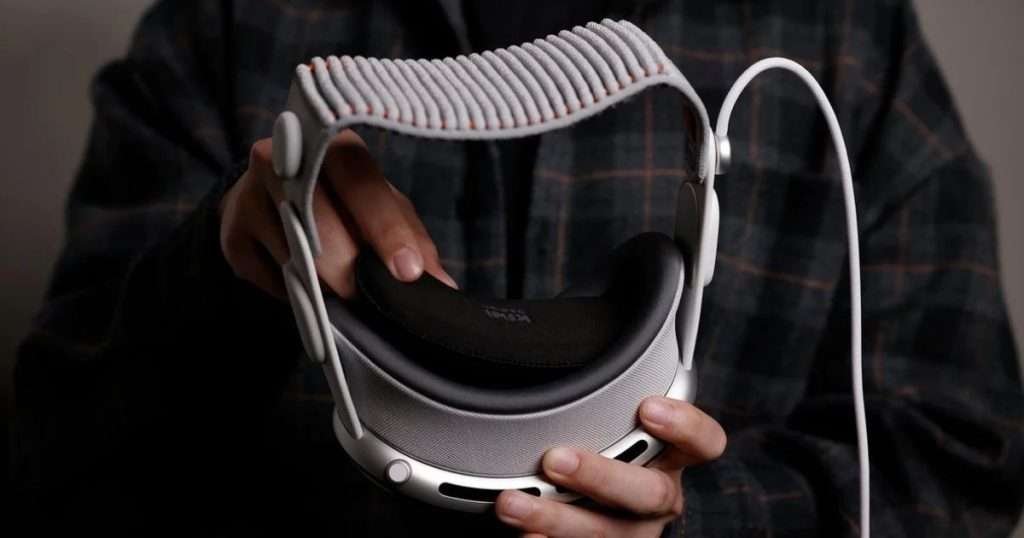
Image by KIWI design
Even after implementing these preventative measures, watch out for reflective surfaces that might redirect sunlight towards your storage location or play area. Depending on your windows’ placement, orientation, and the time of year, a location once thought to be sun-safe can temporarily become compromised. Even a glossy picture frame, a framed poster in another room, or a phone left in the wrong place at the wrong time can reflect sunlight towards your headset when conditions align, so get a sense of how sunlight moves through your home over the course of a year.
Cleaning and Maintenance Best Practices
Maintaining and cleaning your VR headset is about more than just using what you have on hand at a given moment. Wiping your lenses with a t-shirt or paper-based products should be avoided at all costs, as even the smallest particle of dirt or dust in the fabric can cause scratches.
Instead, use a clean microfiber cloth stored in a container to prevent dust and other debris from accumulating on it between uses and being pushed against the headset’s lenses during cleaning. If additional cleaning is required, use products specifically designed for optical lenses and follow the headset manufacturer’s recommendations. Whatever solution you use, it should never be sprayed directly onto the headset lenses.

Images by Pimax / Pexels (Nothing Ahead / Donald Tong / Gustavo Rodrigues)
Much design effort has gone into making modern VR headsets glasses-compatible, allowing users to slide the facial interface farther away from the lenses to accommodate prescription eyewear. While this sounds good on paper, the degree of fit compatibility often falls into a grey zone determined by the exact dimensions, shape, and curvature of your glasses and the specific headset in question. It is, once again, a case of wrong place, wrong time, especially in a hobby as physical as sim racing, where a sudden movement of the head or body can cause glasses to shift at an awkward angle and make contact with the headset lenses, even if they appeared to fit safely during an initial fit test.
Luckily, a variety of companies offer tailor-made prescription lens inserts for VR headsets, many of which use ZEISS optics. This approach eliminates the need to fit a pair of glasses inside the headset, provides a more comfortable viewing experience, and in some cases, may allow for a wider field of view by letting the headset lenses sit closer to your eyes. It also eliminates the risk of accidental damage to the headset lenses from prescription glasses.

Images by VR Optician
Typically inserted using magnetic or ‘click-in’ mechanisms, the lenses are tailored to fit into a variety of headsets, providing an extra, replaceable, and more cost-effective line of defence against scratches to the headset’s own lenses that can be popped in and out in seconds, making them ideal for driver swaps in on-site competitive environments. Check out brands like VR Optician, HonsVR, VR Lens Lab or VR Wave to find solutions for your specific headset.
Keeping a VR headset operational during long-stint endurance racing and in the long run comes down to building a few simple habits into your routine. We hope this entry has given you a clearer idea of how to avoid some of the most common pitfalls of owning and using a VR headset so that you can enjoy the experience without too many “Did I forget to turn off the stove?” thoughts weighing on your mind until you are back home in your setup.