In October, to everybody’s surprise, Assetto Corsa Rally was announced and scheduled for its Early Access release on November 13th. Now it’s here!
Ever since its release, people have been pushing all visible buttons, pulling and stretching the new game in all different directions like playdough. Whether it be the driving physics or the settings (we already have a VR workaround just one day after launch!), they have been testing every aspect of the game.
Regarding the settings, we have also compiled some general guidelines on how to configure your wheelbase settings. Whether you’re using a wheelbase from Asetek SimSports, Fanatec, Thrustmaster, Simagic, Simucube, or anything else with “Sim-” and/or “-tec” in the name, in this entry, we hope to help you stay far, far away from being wrapped around those beautifully modelled trees. Let’s get started!
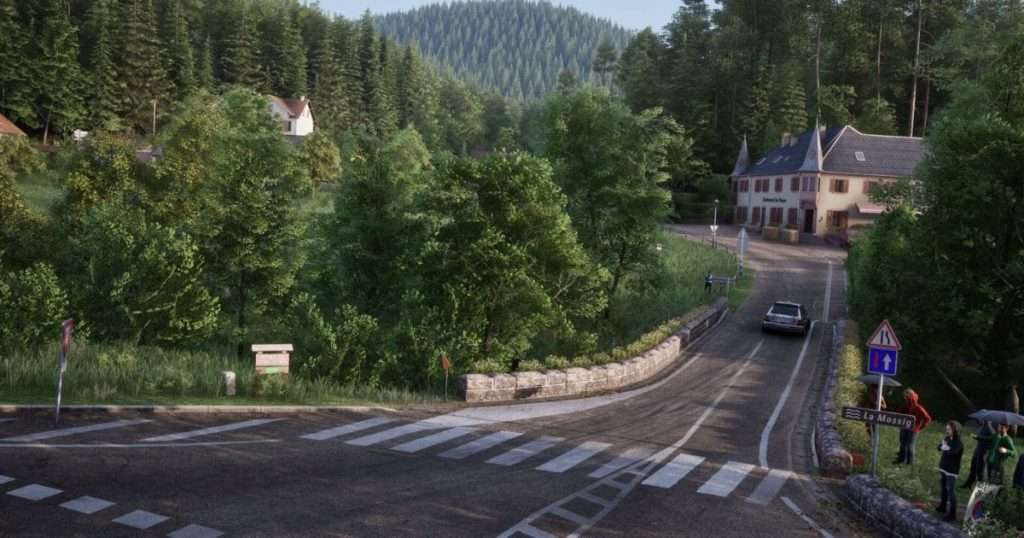
Image by 505 Games
What to expect from the driving physics
Compared mainly to the legendary Richard Burns Rally by fans, ACR provides a more streamlined yet equally demanding and challenging driving experience. The game offers a strong sense of feel and weight for the car and its inertia, and when it comes to the driving, you can be confident that this time you can’t blame your crashes on physics feeling off, whether on tarmac or other loose surfaces, but rather on your own driving skill.

Image by 505 Games
At the time of writing, this Early Access iteration of the physics model and force feedback may feel slightly lacking in the middle of the wheel’s range (centre point), but this is expected to improve with upcoming updates planned for release throughout the final stages of 2025 and 2026.
To gain a thorough understanding of ACR and its physics behaviour, you need solid wheelbase settings as a baseline to work from. This setup is designed to compensate for the “dead centre” feel found in the middle of the wheel range, while also increasing the clarity of road effects and managing peak forces appropriately:
| Setting | Value | Explanation |
| Wheelbase Torque (adjusted via base software) | 8-9 Nm | This level of torque provides accurate feedback without making the FFB overwhelming. On loose surfaces, constant shifts occur, and too much torque may cause the wheel to overpower you. This range offers a clear sense of road feel while ensuring counter-steering remains manageable. |
| Gain (In-game) | 150-200% (Users of Fanatec and Moza have widely suggested using 150%) | This setting is crucial and should be adjusted to your preferences. Using 150% as a starting point will bring up subtle base resistance and details (such as gravel, dips, and bumps) in the middle range. Note: This will carry heavier weight when things eventually go wrong, so change it to what you are comfortable with. |
| Minimum Force | 0 | If you are using a Logitech G923 or one of the other variants, set the value to ‘3’ and combine it with 90% Gain in-game. If set to 0, the FFB will be very light, providing little useful information in road/steering feel. |
| Damper | Fine-tune to accent terrain. | Depending on your wheelbase strength, consider adjusting this setting alongside the wheelbase software’s Road Effects or Filtering (if available) to enhance the sensation of bumps, dips, and gravel texture transmitted through the car’s suspension. |
| Steering Lock | 470°-540° | This is widely a case of personal preference.This rotation range enables quick, controlled counter-steering, which is essential in rally driving. Rapid direction changes and car rotation often require spinning the wheel to catch slides or initiate flicks, especially in hairpin corners. Therefore, being able to quickly go from one end of the steering range to the other is crucial. |
Required Hardware
While most other sim titles focused on circuit racing only require a GT-style steering wheel with paddle shifters and two pedals, this might be the perfect time to expand the sim-peripheral arsenal on your sim rig.
First and foremost, a handbrake, which usually utilises load cell technology, allows you to become familiar with how much force you should apply to make your car rotate optimally in a specific turn to go as fast as possible. Normal pedal-braking typically relies on maximising weight transfer, meaning shifting the weight to the front wheels to make the rear of the car lighter and induce rotation, which might not suffice in hairpins or 90° corners. In these situations, a quick pull of the handbrake briefly locks the rear tyres, partially or fully, depending on your input, snapping the car into rotation.

Images by Moza Racing / Sim-Lab / Heusinkveld
Although it is easier to map the handbrake to a button on your steering wheel or a paddle shifter, having a dedicated handbrake will not only enhance immersion but also allow you to access everything between the 0% and 100% input range of the handbrake. Thanks to the load cell, you can better memorise the precise required input pressure as you become more familiar with the game’s physics model. Using a button confines you to a binary input, where pressing it results in an instant 100% input, which is less than ideal. Therefore, going analogue might significantly improve your driving performance.
Secondly, a H-pattern shifter or sequential shifter is a great next upgrade to consider. H-patterns are typically used in many older rally cars, while sequential shifters have been standard-issue in most modern rally cars since the early 2000s.
The main reason for using a shifter like this, aside from the added immersion, is that it allows you to avoid using the paddle shifters. These rotate with the wheel during sharp turns, which is less than ideal because you often might find yourself trying to locate them on the steering wheel that might be spinning quickly in a very sharp corner, which can hinder your ability to maintain momentum through the corner.
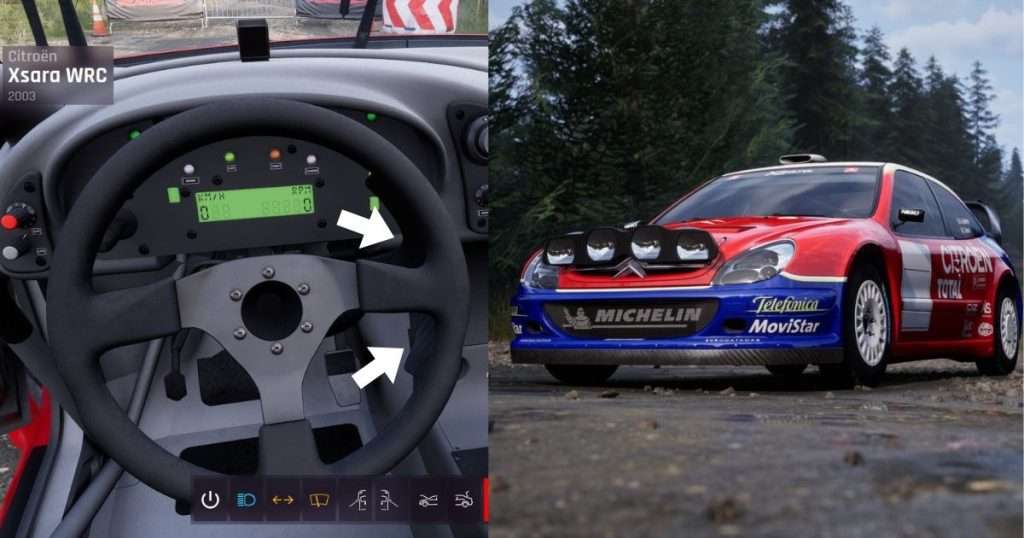
Image by 505 Games
This is not to say that paddle shifter users are at a disadvantage; everybody can adapt to anything. If anything, they actually resemble modern WRC push-pull shifter variants, which are typically mounted stationary on the right side of the wheel, enabling the driver to shift up or down with a simple push or pull of their fingers. An example of this shifter type in ACR can be seen in the Citroen Xsara WRC, so even if you continue using your paddle shifters, you can confidently tell those immersion purists that it is (somewhat) immersive. And if you don’t even have paddles on your current round-steering wheel, now more than ever, it might be time to consider Sim-Lab’s iteration of the Push-Pull shifter, which is compatible with a wide range of wheelbases.
We hope this guide has given you useful perspectives on how to approach the recent rally title, which is certain to draw many new people into the world of rallying. After reading this, we hope we have minimised your need to have any bucket-hat, rope-wielding spectators help you back on track.