BeamNG looks wild on YouTube, but the reason people stick with it is the driving feel. It’s not your typical racer, and is more like a driving sandbox where soft-body physics make every crash unique and every input matter. Here, sloppy driving gets punished and smooth technique gets rewarded.
If you’re unsure how to buy it or get it running well, I’ll walk you through everything. We’ll buy smart, launch clean, and nail down smooth performance before adding any mods.
Buying BeamNG.drive

Image Source: Steam BeamNG
You can buy it on Steam, Epic, or Humble for a base price of $24.99 or £19.20 if you’re in the UK. Prices may vary by region and sales. It’s a 55-65GB download, so budget some time if you’re on slow internet.
Steam and Epic both give you 14 days and under two hours of playtime to get a refund; plenty of time to see if your PC can handle it. Epic has a bonus: if the price drops during your refund window, you can return it and rebuy at the sale price immediately.
Humble gives you a Steam key plus a backup installer you can grab anytime. Worth considering if you like keeping local copies of your games.
Want a discount? BeamNG shows up in the big Steam events like Summer, Autumn, and Winter Sales. Expect modest discounts rather than huge 75% cuts; SteamDB’s past data shows discounts typically in the 20-40% range. The next likely windows are the major seasonal Steam sales (typically Spring, Summer, Autumn, and Winter). Wishlist it to get notified when it goes on sale.
No demo exists anymore. Those old “tech demo” files you might find online are ancient and nothing like the game today.
What Early Access Means
BeamNG updates constantly. New features appear, bugs disappear, and occasionally an update will break your favourite mod. If that sounds exciting rather than frustrating, you’re the target audience.

Image Source: Steam BeamNG
Your First Test Run
Before you start tweaking settings or installing mods, you want to know if the base game runs well on your machine. The BeamNG Launcher has a Safe Mode option that loads the game without any custom settings or mods; something like a clean slate for testing.
- Install, then verify files in your launcher:
- Steam: Library > BeamNG.drive > Properties > Installed files > Verify integrity
- Epic: Library > BeamNG.drive > Manage > Installed files > Verify
- Open the BeamNG Launcher, choose Support tools > Safe Mode
- Load Gridmap V2 and drive for ten minutes at default settings. Write down your average FPS and note any stuttering – you’ll need these numbers later to judge improvements.
- Smooth performance? Move on to settings. Choppy slideshow? Try the graphics fixes in our next section, then test again. Still terrible? Use that refund window.
Why This Sequence?
File verification catches broken downloads upfront. Safe Mode eliminates user folder chaos so you know whether issues come from the base game or your setup. One fresh baseline test turns future tweaks into measurable wins instead of shots in the dark.
Platforms and Hardware Requirements

Image Source: BeamNG Forum
BeamNG is built for PC. Windows is the main focus. Linux exists in experimental form but may not offer the same stability as Windows. No native macOS, and no console versions exist.
Despite frequent speculation, BeamNG has never announced console plans. The developers consider console porting very unlikely due to technical limitations and the game’s heavy reliance on modding. The “mobile versions” you’ll find online are unofficial fan projects or scams – not real BeamNG software.
Specs You Need
| Spec | Minimum | Recommended |
| OS | Windows 10 64-bit | Windows 10 64-bit |
| CPU | AMD FX-6300 / Intel i3-6300 | Ryzen 7 1700 / i7-6700 |
| RAM | 16 GB | 32 GB |
| GPU | Radeon HD 7750 or GTX 550 Ti | R9 290 / GTX 970 |
| Storage | 55 GB | 65 GB+ |
Laptop Check
Target 60 FPS at 1080p on Medium preset. If you stutter: drop Lighting and Shadows first, then Dynamic Reflections. Turn off traffic during testing – each AI car hammers your CPU. Force your laptop to use its dedicated GPU (not integrated graphics) in your graphics control panel.
Upgraders: Where to Spend Money
If you are upgrading, favour strong single-thread CPU performance and 32 GB of RAM before chasing ultra-tier GPUs. BeamNG’s physics are heavy on the CPU, and extra RAM helps with big maps and mod packs.
Essential Settings for Realistic Driving

Image Source: BeamNG Forum
Your goal: steady 60 FPS with consistent physics. Start with that baseline test from Section 1, then make one change at a time.
Graphics Tuning Sequence
- Begin with Medium preset at 1080p
- Cap your frame rate if you’re getting spikes
- Lower Lighting and Shadows one step at a time
- Set Dynamic Reflections to Low or Off
- Keep traffic disabled until you’re stable; those AI cars eat CPU cycles
- Stay above 30 FPS to avoid slow-motion physics weirdness
Wheel and Pedals Setup
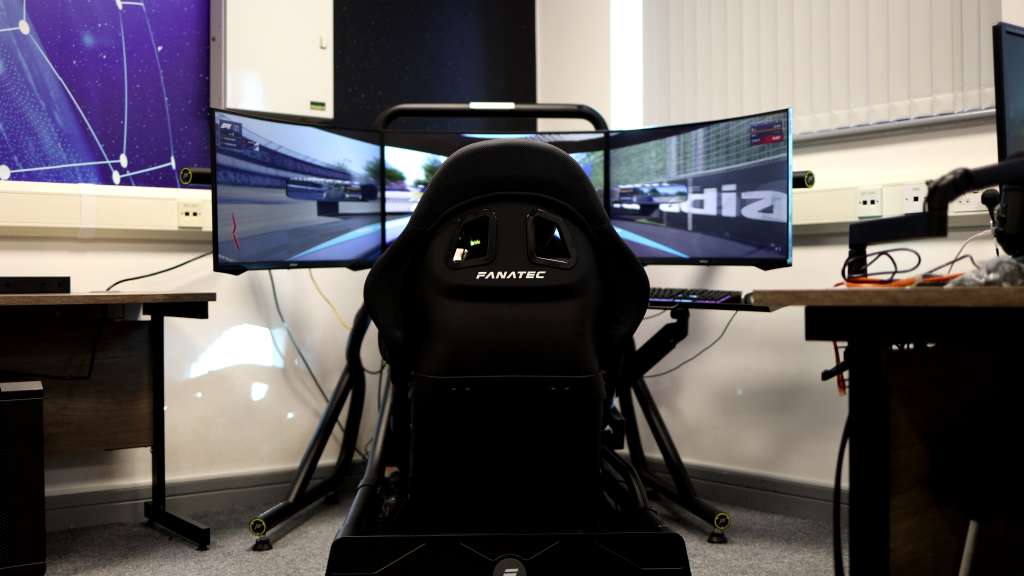
Install your wheel’s drivers first. In the driver software, set maximum rotation and configure separate pedals if you have them. Inside BeamNG: go to Options > Controls > Bindings > Vehicle, bind your controls, then click the steering binding to access Force Feedback settings.
Start with high Smoothing, adjust Strength while driving until the road feels natural, then slowly lower Smoothing until you feel tire scrub and texture without vibration. Enable “Reduce strength at low speeds” to stop parking-lot wiggling.

Image Source: Steam BeamNG
Force feedback baseline you can trust
Don’t copy forum numbers. Follow this sequence:
- Set FFB Smoothing to High initially
- Raise or lower Strength until the road feels natural while driving
- Reduce Smoothing gradually until you feel texture, curb hits, and tire scrub without chatter
- Enable “Reduce strength at low speeds” for stability when crawling or parking
Emergency Performance Fixes
Still struggling? Drop to 1600×900 resolution, stay on Medium preset, then trim Lighting, Shadows, and Reflections in that order. Test the same map and car each time so you know what’s actually helping.
VR Setup
VR runs through OpenXR and requires Vulkan. Only attempt this after your non-VR baseline is stable. Enable it in Options > Display > VR, and expect to sacrifice visual quality for frame timing. WMR headsets need extra compatibility work since they’re built for Direct3D.
Installing and Managing Mods

Image Source: BeamNG
Mods are where BeamNG opens up. Use the official tools and add content in small batches so you keep a working game.
Where to Get Safe Mods
Open the game and go to Mods > Repository, then search and subscribe. It installs straight from BeamNG’s official library, shows version dates, and lets you enable or disable items cleanly. You can also browse the web Repository if you prefer using a browser. Avoid random EXE installers. Stick to ZIPs from the Repository or trusted creators.
Manual install for ZIP files
- Download the ZIP and do not extract.
- Open BeamNG Launcher > Manage User Folder > Open in Explorer.
- Drop the ZIP into the /mods folder. It will appear in the Mod Manager on the next launch.
Back up before a big mod session
In the Launcher, open your User Folder and copy it somewhere safe. That captures configs, replays, and your mod state so you can roll back if something breaks.
Avoiding conflicts
BeamNG loads game files, then mods. If two mods change the same thing, the one loaded later wins. Keep your mod list manageable. Favour mods that add new parts rather than replacing base game files.
When Things Go Wrong
Start Safe Mode to isolate the base game. If it’s good to go there, Clear Cache, then re-enable mods in small batches to find the culprit. Verify files only after you’ve tested Safe Mode so you don’t hide the real cause.
Game modes, multiplayer and career ideas

Image Source: BeamNG
BeamNG can feel aimless until you give yourself a plan. Use the built-in modes to turn freeform driving into steady progress.
Free Roam teaches car control and lets you explore maps. Scenarios add short, focused challenges. Time Trials give you a repeatable benchmark. Campaigns bundle themed challenges if you want structure.
For a friendly baseline, take the D-Series pickup on Gridmap V2. Run five laps, save your best time, then try the same car on a different map. The official beginner’s guide covers where to find these in the menus.
Add traffic only after you can repeat lap times within one second on your baseline combo. Change one variable at a time: car, map, weather, or a single mod.
Local play
There isn’t a classic split-screen. Multiseat lets multiple players drive on one PC with their own controllers. It’s simple and stable for couch sessions.
Online Reality
There’s no official online multiplayer. Community options like BeamMP exist and host public servers, including cruising and role-play. They are third-party, so expect breakage after big game updates. Download only from the official site, back up your user folder before installing, and be ready to disable it after patches until it catches up.
Automation Imports
If you own Automation, you can export your builds directly into BeamNG. They install like vehicle mods and are perfect for seeing how setup choices change handling.

Image Source: BeamNG
Creative Challenges to Try
- Crash tests on Gridmap V2 with different speeds and angles
- Police chase drills against AI in Free Roam
- Rock crawling in Utah with low-speed control goals
- Delivery runs you time yourself, no rewinds
- Photo goals in Garage or Photo Mode
- Role-play nights on BeamMP servers
Tie each activity to your baseline so improvements are obvious and repeatable.
Troubleshooting and Performance Tweaks

Image Source: BeamNG Forum
When something feels off, follow this order. It fixes most day-one problems without guesswork.
Quick triage
- Safe Mode in BeamNG Launcher > Support tools. This starts a temporary user folder so no mods or custom settings load. Think clean slate.
- Clear Cache in the launcher to purge stale data that causes missing textures, broken maps, or odd behaviour.
- Verify files in your store launcher to catch a bad or corrupted download before it wastes your evening.
- Disable all mods and retest. If Safe Mode works but your regular game doesn’t, a mod is the culprit. Re-enable in small batches to find it.
Smoother frames
Target a steady frame rate. Drop Lighting, Shadows, then Dynamic Reflections in that order. Keep traffic off while tuning because each AI car adds CPU physics load; simplified traffic uses fewer resources but still impacts performance. Staying above roughly 25 FPS avoids slow-motion physics.
Wheel detected, FFB feels wrong
Install your wheel’s driver and set full rotation. In BeamNG, go to Options > Controls > Bindings > Vehicle, bind steering and pedals, then open the steering entry to enable Force Feedback. For detailed tuning, see Section 3 for detailed steps.

Image Source: Epic Games Store
Logs and real support
If support asks, generate a Support ID. It bundles your logs so the team can diagnose issues faster.
VR basics
BeamNG VR runs through OpenXR on Vulkan. Check the VR page for headset specifics and setup steps, and expect to trade visual extras for frame timing.
FAQs
How much is BeamNG.drive right now?
24.99 USD on Steam, with regional pricing; it’s also on Epic and Humble.
Can you play BeamNG.drive on PS5, PS4, Xbox Series X|S or Xbox One?
No console versions exist. Windows only, though Linux works experimentally.
Is there a mobile version?
No. PC only, and the team warns against fake mobile apps.
How do I install BeamNG mods safely?
Use Mods > Repository in-game and Subscribe, or drop ZIPs into /mods through the launcher’s Manage User Folder > Open in Explorer option. Avoid EXE installers.
Does BeamNG.drive have online multiplayer?
No official online. Multiseat is the supported local option on one PC. Community clients like BeamMP exist but are third-party.
Will BeamNG ever come to console?
No announcement. The developers say Windows is the focus and haven’t confirmed other platforms.
What are good wheel settings for a Logitech G29?
Follow the official flow: install drivers, set full rotation, bind in-game, then tune strength and smoothing while driving.
How can I play BeamNG for free?
There’s no official free version or modern demo, and no free version is planned.

Image Source: Steam BeamNG
Conclusion
BeamNG.drive stands out because of its genuinely realistic physics and an extensive mod library that’s always growing. If you’re new to the game, here’s a straightforward approach: make a smart purchase, ensure smooth launches, aim for a steady 60 FPS baseline, and introduce new content gradually. This way, you’ll always know what’s changed and can enjoy a stable experience.
If price is a concern, add it to your wishlist and wait for a seasonal sale to get the best deal. Unsure if your PC can handle it? Take advantage of the 14-day refund window – play for up to two hours to test performance risk-free.
Start by following the recommended settings, then master one vehicle on a single map. Once comfortable, layer in a few Repository mods and dive into Scenarios, Time Trials, and Campaigns to expand your experience.
Need hands-on help with tuning or troubleshooting? Get a pro to look at your setup at simrigsupport.com.