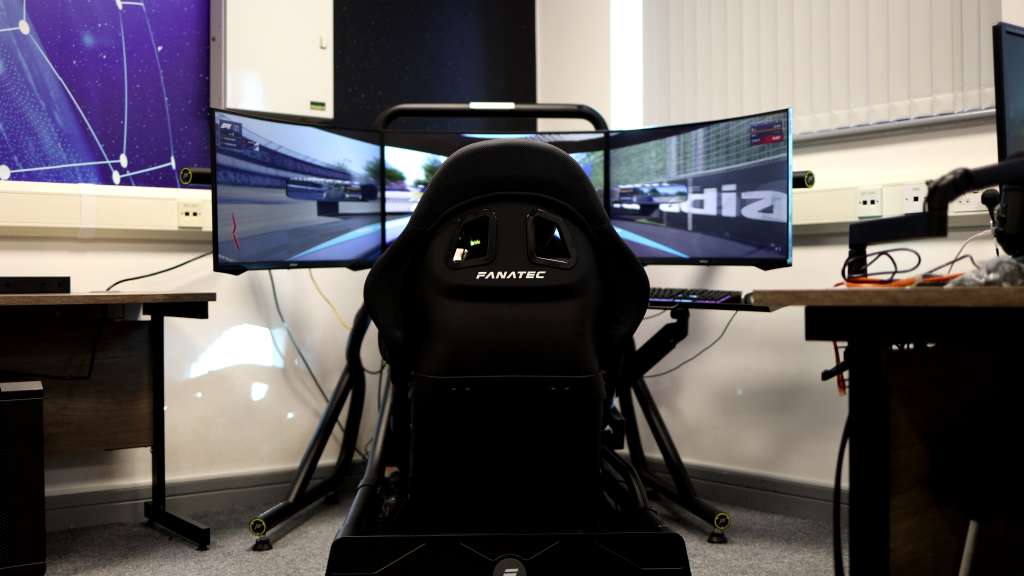
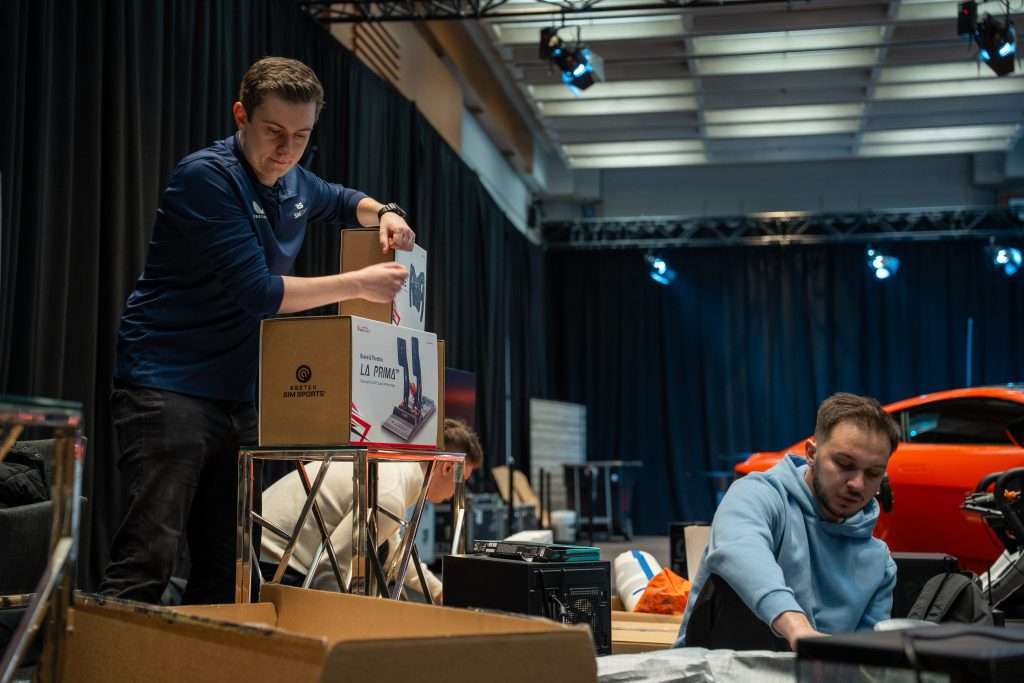
Most brands turn up to an event with the same kit: a banner, a screen on loop, and the hope that someone stops long enough to notice.
A simulator gives you something different: a reason for people to stop, watch, and have a go. Someone sets a quick lap, a small crowd gathers, a colleague jumps in to beat it, and suddenly, your stand has energy.
This guide covers five ways to add your branding without turning the whole thing into a billboard. If you’re planning a branded sim racing event, these are the parts that show up where it counts: on screen, on camera, and in the stories people tell afterwards.
The Most Effective Branding Opportunities in Simulator Experiences
Most event branding has the same problem: people walk past it. They might glance at a banner, take a freebie, then disappear.
A simulator flips that. It gives people a reason to stop, watch, and have a go. While they’re doing that, your brand can show up in ways that feel normal, not bolted on.
These are the surfaces that pull their weight:
- The car: Liveries and number panels sit exactly where drivers and spectators are already looking.
- The environment: Trackside boards, pit boards, gantries, flags. This mirrors how motorsport sponsors show up in the real world.
- The screens people stare at: Leaderboards, timing pages, result cards, podium graphics. Names, times, and bragging rights all show up here.
- The moment people share: Replays, clips, podium photos, “beat my time” screenshots. This is the stuff that ends up on LinkedIn and Instagram without you paying for it.
- The physical set: Rig panels, backdrops, uniforms, podium blocks. The camera sees this as much as the sim.
You’re not trying to plaster logos everywhere. Pick a few surfaces that show up naturally in photos and videos. That’s when in-game branding for corporate events stops looking like an ad and starts looking like part of the event.
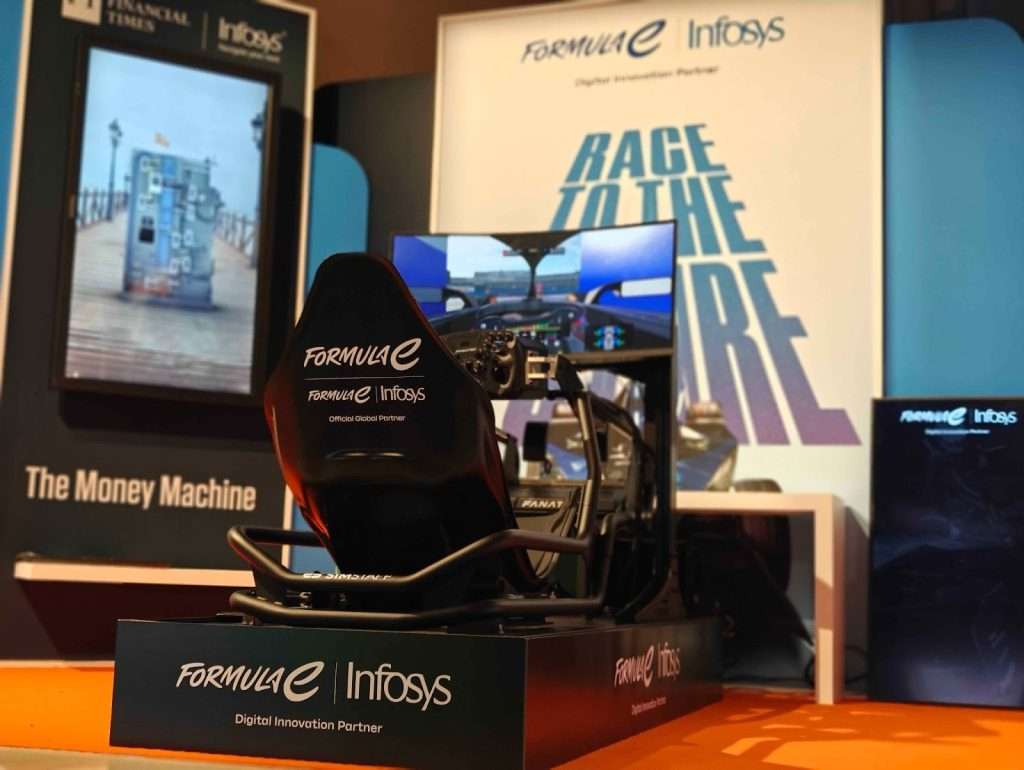
Image Source: SimStaff
Quick Planning Blueprint Before You Brand Anything
If you skip this part, you’ll end up with a beautiful activation that’s chaotic to run, hard to measure, and forgettable the next day.
Run through these four questions first:
1) What’s the outcome you need?
Pick one primary goal so the whole setup supports it.
- Lead capture
- Footfall and awareness
- Product story or feature demo
- VIP hospitality and memorable moments
2) Who’s driving?
This shapes the whole setup. If it’s mostly beginners, you need short sessions, forgiving settings, and staff who can coach fast. If it’s enthusiasts, you can push difficulty and lean into competition.
3) What format fits your space and queue?
Choose a format that matches your foot traffic.
- Time attack / hot lap for fast throughput and simple rules
- Short races only if you can control the grid and keep sessions moving
- Team relay if it’s a corporate crowd and you want group buy-in
4) How will you capture and share the moment?
Decide this before you design anything.
- What shows on the leaderboard screen?
- What does a guest take away: photo, clip, result card, prize?
- How do they opt in: QR code, email, scan, badge tap?
Once you’ve nailed those four, the branding decisions fall into place. You’ll know where logos should live, what needs to be readable on camera, and what’s worth building versus noise.
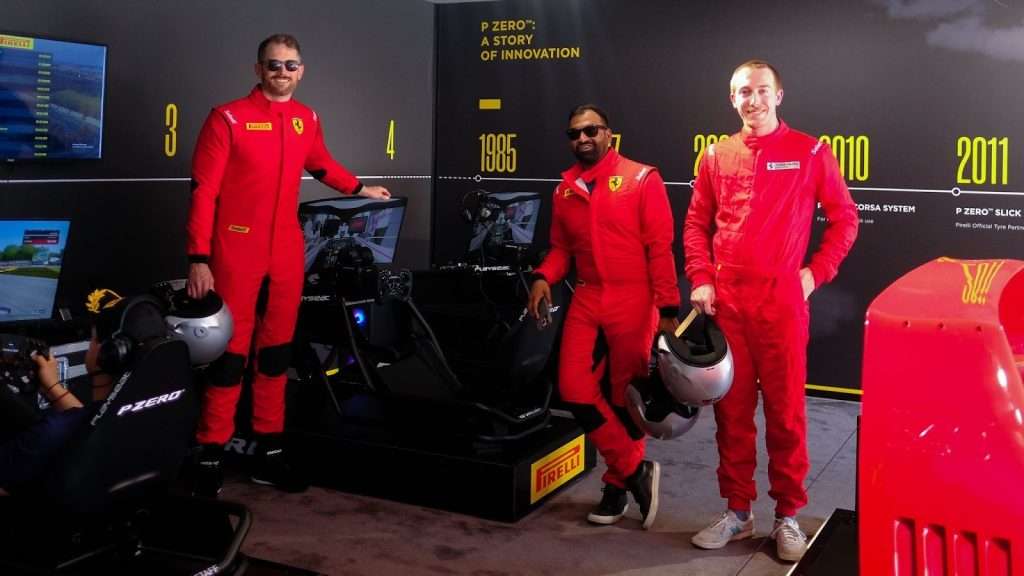
Image Source: SimStaff
Simple Solutions: 5 Creative Brand Integration Ideas
You don’t need a complicated setup or a massive budget to make a branded sim racing event feel like yours. You just need a few spots where your brand shows up naturally while people are driving, watching, and grabbing clips.
The best setups have branding in two places at once:
- Inside the sim, where it shows up in gameplay, replays, and leaderboards
- Around the rig, where it shows up in photos, queues, and podium shots
These five ideas get the most mileage without slowing your event down.
Custom Car Liveries
If there’s one thing that never gets missed, it’s the car.
A custom livery puts your brand right where the action is. Every corner, every replay, every screenshot someone takes of the screen, your logo is in shot.
Two ways to do it, depending on how fast you need to move:
- Quick option (tight deadlines): Use the sim’s built-in editor or a simplified design. You can still get a sharp, professional look if you keep it bold and readable.
- Flagship livery (when it matters): Build it with the same care you’d put into a real race car. Number panels, sponsor lockups, patterns, gradients. Done right, it looks legit on camera.
What matters most is readability at speed. If your logo is full of fine detail, it turns into noise the second the car moves.
A few rules that save you from the obvious mistakes:
- Put your main logo on the doors and bonnet. Those are the angles cameras and spectators catch most.
- Create a small-logo version for tight spaces like mirrors, bumpers, and number plates.
- Stick to high contrast. Dark logo on dark paint looks fine in a mock-up, then vanishes on track.
- Leave breathing room. A livery that’s too busy makes the whole car hard to read.
When you’re running a custom car livery simulator setup at an event, treat it like something that needs to photograph well, not just look good as a design. You want people to clock the brand in a one-second glance.
In-Game Trackside Branding: Billboards, Gantries, Pit Boards, Flags
Trackside branding is the fastest way to make a sim feel like your event, not just a rig someone hired for the day.
It works like motorsport advertising. The driver doesn’t need to stare at it. It still shows up everywhere: in the background of racing shots, in replays, and in the clips people post when someone sets a quick time.
The obvious spots are the best for a reason: start/finish straight, heavy braking zones, pit lane, and the podium backdrop if you’ve got one. Pick one or two zones and own them.
One thing you should consider is that not every platform lets you swap trackside signage. Some setups can change the billboards in-game, others can’t.
If you can’t change the environment directly, you’ve still got options:
- Use a branded replay frame so every highlight clip carries your logo
- Run a branded leaderboard screen next to the rigs so photos include your branding even if the track doesn’t
- Add physical boards behind the rigs that match the trackside look, so your real-world shots still feel like motorsport
Done well, trackside branding becomes part of the scenery. People won’t think “they advertised to me.” They’ll think “this event looks legit.”
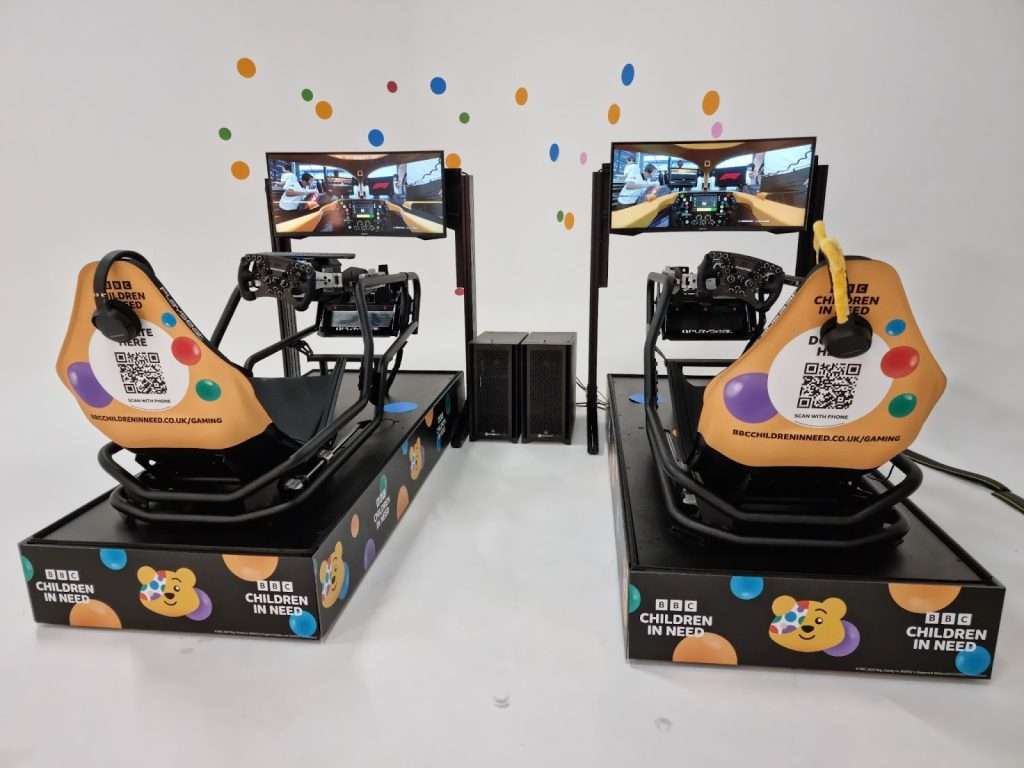
Image Source: SimStaff
Branded UI Elements: Leaderboards, Timing Screens, Podium Graphics
If you want branding that looks sharp without being in your face, put it where everyone’s already looking: the screens.
Most people don’t remember the corner they nailed. They remember their time, their position, and whether they beat their mate. That’s why your logo on the screens works so well. It’s part of the competition.
Good spots for your logo without annoying the driver:
- A leaderboard on a big TV near the rigs
- Results cards after each run
- A screen showing the day’s top times
- Replay clips with the driver’s name and time at the bottom, your logo in the corner
A few rules to keep it clean:
- Treat it like TV graphics, not a poster. One logo, consistent colours, plenty of breathing room.
- Keep the important stuff huge: name, lap time, position. Your branding supports that, not the other way around.
- Make sure it photographs well. If someone snaps the leaderboard, your logo should be readable without squinting.
If you want to collect contact details, this is where it gets easy. Ask for a name or email to enter, then show that name on the leaderboard. People will sign up just to see themselves on the board.
Themed Race Modes or Challenges
The format you choose is part of the branding. It shapes how the whole event feels.
A time attack feels sharp and competitive. A relay feels like teamwork. A “beat the benchmark” challenge feels like a game show. You can match that vibe to whatever you’re trying to get across.
For most corporate events, the safe bet is a time attack or hot lap:
- Easy to explain in one sentence
- Fast sessions, so queues keep moving
- Beginners can still have a go without ruining someone else’s race
- Leaderboards keep people coming back all day
If you want something with more shape to it, here are three that work:
- One Perfect Lap: Three attempts, best time counts. Fits if you’re going for precision or performance.
- Team Relay Ladder: Small teams, short stints, times add up. Everyone contributes, so it’s good when you’ve got mixed abilities in the room.
- Beat the Benchmark: Set a staff “pro time” and let guests try to beat it. Everyone’s got a clear target, which keeps them coming back.
Whatever you pick, set it up so the queue keeps moving. Keep rules short and resets quick, and make the next step obvious: drive, check your score, share it, try again.
Branded Physical Touchpoints Around the Simulator
What’s on screen matters, but most event photos show the area around the rig too. If that space looks bare, the whole setup can end up looking like a random sim shoved in the corner.
The fix is simple: make the physical space match what you’ve done in the sim.
Start with the spots people notice first:
- The rig itself: Side panels, wheel deck, monitor surround, seat headrest. These show up in every shot.
- A backdrop: A branded wall behind the driver means every photo catches your logo automatically.
- A podium area: A small podium block, winner board, or top-times wall. Give people something they want to stand next to.
- Your team: Branded shirts so the whole area looks organised, not thrown together.
- Trophies or giveaways: Even a small trophy or medal makes the result feel earned. People will pose with it.
One tip that saves headaches later: treat this area like a small set. Work out where spectators will stand, where people will take photos from, and where the queue forms. If you control those three, you control what ends up in every clip.
Get this right and the whole activation looks intentional. People take it more seriously, and they’re far more likely to post about it.
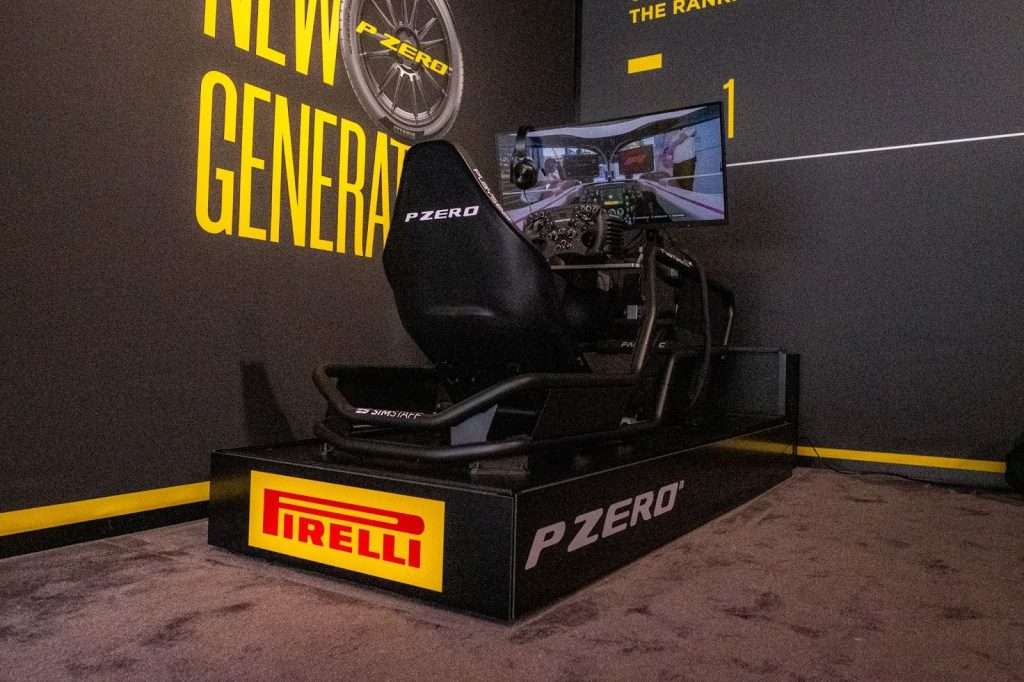
Image Source: SimStaff
When to Call SimStaff
If you want your next event to do more than sit there looking pretty, SimStaff can run the whole thing for you.
We deliver fully branded sim racing events: the rigs, the staff, the format, and the branding layers that make it feel like yours. Car liveries, leaderboard graphics, trackside-style branding where the sim allows it, and a physical setup that looks good on camera.If you’ve got a product launch, corporate event, or exhibition coming up and you want something people queue for, get in touch. We’ll help you lock the format, the branding, and the event flow so it runs smoothly and you walk away with photos and footage you can use.